GTA 6 Photo Mode Guide
Updated November 18, 2026
On this page
More in GTA 6 Guides
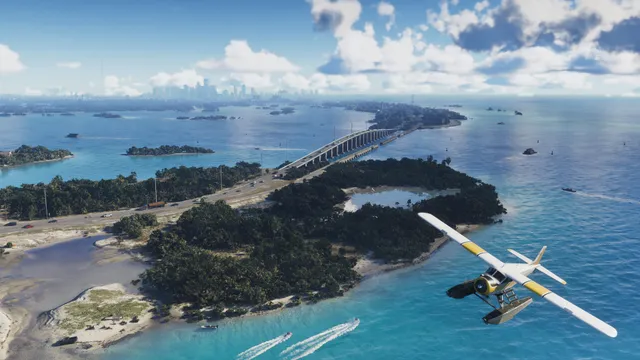
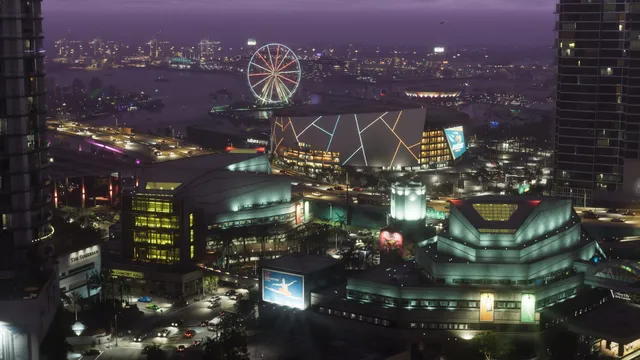
Grand Theft Auto VI has a full photo mode called Photo Studio. Press Options on PS5 or Menu on Xbox, then select Photo Studio from the pause menu. It is available from the moment you take control of Lucia in the prologue, with nothing to unlock.
How to take a photo
- Pause the game and select Photo Studio.
- Move the camera into position.
- Adjust the camera, effects, lighting and overlays.
- Select Save Photo, or hide the interface and use your console's screenshot button.
Photo Studio tools
| Category | What you can change |
|---|---|
| Camera | Speed, grid, roll, 8 aspect ratios, field of view |
| Focus | Depth of field, aperture, focus distance, focus guide |
| Character | Show or hide Jason or Lucia |
| Effects | Exposure, contrast, highlights, shadows, saturation, sharpness, grain |
| Color | Temperature, tint, gamma, lens flare, bloom, chromatic aberration |
| Lighting | Up to 5 light sources |
| Overlays | Gameplay effects, 17 filters, vignette, color isolation |
Tips for better shots
- Pick your moment first. Photo Studio reportedly cannot change the time of day or weather.
- Use the focus guide. It shows what is sharp before you save.
- Hide your character for clean landscape shots.
- Pause during action. The world freezes, so you can line up a chase or a fight.
Looking for somewhere to shoot? The GTA 6 locations list covers each region of Leonida.
How to take selfies
Selfies use the phone rather than Photo Studio, and the phone becomes available once you take control of Jason.
- Press up on the D-Pad to open your phone.
- Open Camera, the third icon in the first row.
- Switch to the front camera.
- Choose a pose and expression, then select Take Photo.
| Camera | Options |
|---|---|
| Rear | 5x zoom, 3x3 grid, light, 17 filters, gallery |
| Front | 6 poses, 7 expressions, partner pose, light, gallery |
Snapmatic is a separate phone app for browsing posts, liking photos and marking locations on your map. Our beginner tips cover the other phone apps worth learning.
Limits to know
Some settings show as Currently Unavailable during cutscenes. Photo Studio also does not let you pose Jason or Lucia, so use the selfie camera when you want a specific pose.
FAQ
Does GTA 6 have a photo mode?
Yes. Pause the game and select Photo Studio. It is available from the moment you take control of Lucia in the prologue.
How do you take a selfie in GTA 6?
Press up on the D-Pad, open the Camera app, then switch to the front camera. You can change your pose and expression before taking the photo.
Can you change the weather in GTA 6 photo mode?
Reportedly not. Photo Studio cannot change the time of day or weather, so set up your shot at the right moment first.
Can you use photo mode in cutscenes?
Reportedly yes, but some settings show as Currently Unavailable during cutscenes.
Sources
- GTA 6: How to Use Photo Mode (& Take Selfies), Game Rant
- How to Use Photo Mode in GTA 6, Beebom
Checked against official sources on November 18, 2026. How we check facts
By the Respawndex editorial team.