GTA 6 Accessibility Settings Guide
Updated November 21, 2026

On this page
More in GTA 6 Guides
Grand Theft Auto VI reportedly has a wide range of accessibility settings, covering vision, hearing, motor and comfort needs. There are no difficulty levels, but combat and vehicle assists can make the game much easier. Most options sit in the Settings menu, which you open with Options on PS5 or Menu on Xbox.
This list comes from early coverage and may be incomplete, so check the menu in your game. We will update this page as each setting is confirmed.
Make the game easier
Go to Options, Settings, Gameplay and scroll to the bottom:
| Setting | What it does |
|---|---|
| Accessible Combat | You take less damage, and enemies take more |
| Reduced Vehicle Damage | Your car takes less damage in crashes and combat |
Neither setting changes the story or disables trophies. Our best settings guide covers the rest of the menu.
Motor and input settings
| Need | Reported option |
|---|---|
| Quick-time events | 5 levels of tap assist |
| Holding buttons | Hold assists, toggles and hold delay settings |
| Minigames | Simplified versions |
| Controls | 3 controller presets, plus Classic controls |
| Sticks and triggers | Adjustable sensitivity |
| Aiming | Adjustable aim assist and shooting assists |
| Driving | Auto drive and drive-by assists |
Full button remapping has not been confirmed.
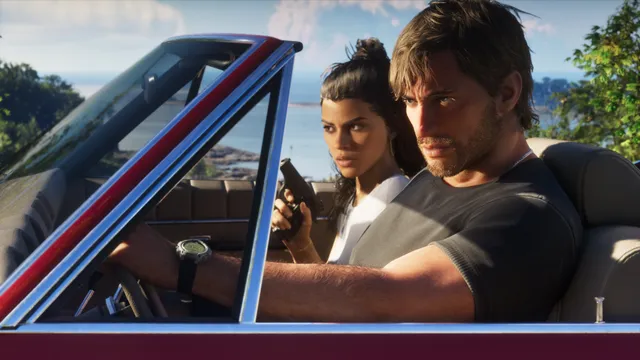
To use auto drive, hold down on the D-Pad in your car and press Options to turn on the cinematic view, then hold Circle on PS5 to drive to your waypoint.
How to turn off the voice assistant
If a voice reads every menu aloud, Screen Narration is on. It is easy to switch on by accident at the first setup screen.
- Press Options on PS5 or Menu on Xbox and open Settings.
- Press R1 or RB to move across to the Audio tab.
- Scroll to the Narration section at the bottom.
- Set Screen Narration to Off.
Vision settings
- Screen reader: called Screen Narration, offered on the first setup screen. It reads out most menus and the UI, in English only, and you can set its volume, speed and voice.
- Audio description: a separate toggle.
- High contrast: shows characters, enemies and items you can use in contrasting colors.
- Colorblind option: boosts the colors of Focus trails.
- Interface: adjust text size, UI colors, objective markers and map icons.
- Navigation: keep the minimap on and add a compass.
- Reticle: change how it looks.
Hearing settings
- Subtitles and captions: resizable, with optional backgrounds and speaker names.
- Mono audio: a simple toggle.
- Tinnitus reduction: lowers the ringing effect after explosions.
- Volume sliders: separate controls for effects, UI, dialogue, music and media.
Comfort settings
You can reportedly adjust motion blur, head bob, camera movement and the intensity of screen effects. There are also options to reduce flashbang intensity and overall brightness, and to adjust blood and gore or turn off dismemberment.
On PS5, you can also adjust haptics and adaptive triggers. If fights are still hard, read our combat tips, and see the beginner tips for an easier start.
FAQ
Does GTA 6 have accessibility options?
Yes. Early coverage reports options for subtitles, narration, audio description, high contrast, aim assist, auto drive, input assists and visual comfort.
Does GTA 6 have an easy mode?
There are no difficulty levels, but Accessible Combat reduces the damage you take and Reduced Vehicle Damage protects your car. They do not disable trophies.
Does GTA 6 have a screen reader?
A screen reader is reportedly available from the start, with narration for most menus and a separate audio description toggle.
How do you turn off the voice assistant in GTA 6?
The voice reading menus aloud is Screen Narration. Open the pause menu, go to Settings, press R1 or RB to reach Audio, scroll to Narration at the bottom and set Screen Narration to Off.
Can you remap buttons in GTA 6?
Full remapping is not confirmed. The game reportedly has three controller presets, and many holds can be changed to toggles.
Sources
- GTA 6: Tips & Tricks You Need to Know, Push Square
- Early looks at GTA VI accessibility features, Can I Play That?
- How to Turn Off the Narrator in GTA 6, How To Video Game
- How to Turn On and Off Screen Narration in GTA 6, Beebom
Checked against official sources on November 21, 2026. How we check facts
By the Respawndex editorial team.